Jamie ran a home goods brand that started on Shopify and, within eighteen months, had expanded to Amazon, Walmart, and Etsy.
What sounded like a growth win on paper became a daily grind: every new product meant manually re-entering the same title, description, images, and price four separate times, in four slightly different formats. Also, remembering to update inventory everywhere by hand whenever something sold out on one channel.
Jamie wasn't behind because the business wasn't working; the business was working faster than the manual process could keep up with. Ecommerce listing automation exists precisely for this moment: the point at which selling on more channels stops being a growth lever and becomes a full-time data-entry job.
Key Takeaways
- Ecommerce listing automation centralizes product data and pushes it, correctly formatted, across every sales channel from one source
- Manual listing management typically breaks down past a couple of channels or a few hundred SKUs
- Real-time inventory sync is the single most important feature for preventing overselling across channels
- Channel-specific field mapping matters as much as the automation itself. Generic listings underperform on channels they weren't tailored for
- Automation reduces manual work but still requires ongoing monitoring, not a one-time setup
What Is Ecommerce Listing Automation?
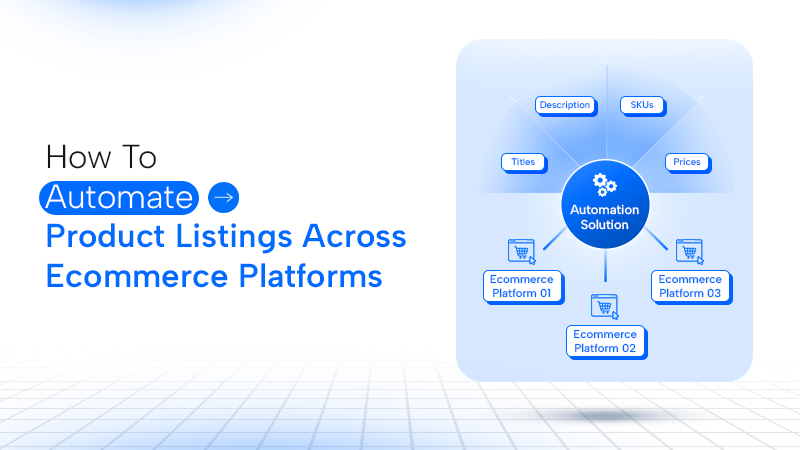
Product listing automation is the practice of creating, formatting, and syncing product information, titles, descriptions, images, pricing, and inventory across multiple online selling channels from a single source, rather than manually re-entering it on each platform.
At its core, automation in ecommerce listing management solves one specific problem: every marketplace has its own format, field requirements, and category structure. Amazon wants different title conventions than Etsy. Walmart has its own attribute requirements distinct from Shopify's.
Doing this by hand doesn't just cost time; it introduces inconsistency and errors that compound as the catalog and channel count grow.
Why Manual Listing Management Breaks Down
Manual ecommerce product listing work is manageable at a small scale, one channel, under 100 SKUs, and it's often genuinely fine to handle by hand.
The math changes once a business crosses roughly two or three channels or a couple of hundred products. This is when the time cost of manual updates starts to outweigh the cost of a tool built to handle it.
Example: Jamie's team discovered this the hard way during a flash sale. A best-selling item sold out on Amazon within an hour, but nobody updated Etsy or Walmart in time. Then the result was two oversold orders, two refunds, and two frustrated customers, all from a single missed manual update.
That single incident cost more in customer trust than a year of automation software would have.
Step-Wise Process to Automate Product Listings
Here’s a step-by-step guide to automating product listings, from organising your product data to publishing and maintaining listings across channels.
Step 1: Centralize Your Product Data
Before automating anything, product information needs a single source of truth, one place holding the master title, description, images, and specs for every SKU, rather than scattered spreadsheets or channel-specific edits.
Step 2: Choose a Multichannel Listing Tool
Multichannel listing platforms let you create a listing once and push it to multiple marketplaces, handling the category mapping and field translation each channel requires.
Tools in this category range from lightweight, affordable options built for smaller sellers to enterprise-grade platforms with deeper catalog and logistics features the right tier depends on channel count and catalog complexity, not just budget.
Step 3: Map Fields to Each Channel's Requirements
Even with automation, each marketplace expects specific formatting. Amazon's title conventions differ from Etsy's, and required attributes vary by category. A good tool handles this translation automatically once fields are mapped correctly the first time.
Step 4: Sync Inventory in Real Time
This is the step that would have saved Jamie's flash sale. Real-time inventory sync means a sale on one channel instantly updates stock levels everywhere else, preventing the overselling problem that manual updates almost inevitably create at scale.
Step 5: Automate Pricing and Repricing Where Relevant
Some tools extend automation into competitive repricing, adjusting prices based on competitor activity or a marketplace's "buy box" dynamics, which matters most for commoditized or highly competitive product categories.
Step 6: Monitor and Refine
Automation isn't "set and forget." Regularly reviewing listing performance, sync accuracy, and channel-specific conversion helps catch formatting issues or mismatched categories before they quietly hurt visibility or sales.
For brands managing large catalogs, automation can also extend beyond listing creation to ecommerce catalog management. ODN combines AI-powered cataloging, attribute mapping, bulk SKU processing, quality checks, and marketplace-ready formatting to help brands manage product content at scale.
What to Look for in a Listing Automation Tool
An efficient listing automation tool should eliminate repetitive work without sacrificing control over product data. Look for features that support your channels, catalog size, and day-to-day workflow.
- Channel coverage matching your actual sales channels, not just the biggest marketplaces
- Real-time inventory sync, not batch updates that run on a delay
- Field mapping and category translation are built in for each supported channel
- Bulk editing and bulk upload support for catalogs beyond a handful of SKUs
- Reporting across channels from a single dashboard, rather than checking each platform separately
For businesses managing large catalogs, automation also needs to work alongside the broader ecommerce content solutions that keep product information, creative assets, and marketplace content consistent across channels.
Common Mistakes When Automating Ecommerce Listings
Automation can make listing management faster, but poor setup can simply make errors happen at a larger scale. Avoid these common mistakes when building an automated ecommerce listing workflow.
- Automating before centralizing data. Pushing inconsistent, unstructured product data to multiple channels just scales the mess faster.
- Choosing a tool based on price alone. An underpowered tool for a growing catalog often costs more in workarounds than the subscription it was meant to save.
- Ignoring channel-specific formatting needs. Treating every marketplace like it has identical requirements produces listings that underperform on the channels they weren't optimized for.
- Skipping inventory sync testing. Assuming real-time sync works without verifying it, especially right after setup, is exactly how oversold situations like Jamie's happen.
- Never revisit the setup as the catalog grows. A configuration that worked at 200 SKUs may need adjustment at 2,000; automation still needs occasional human oversight.
You shouldn’t treat automation as a one-time project rather than ongoing infrastructure. The tools remove repetitive manual work, but someone still needs to monitor sync accuracy and catch the occasional formatting mismatch a channel update introduces.
For a deeper look at how AI is changing catalog workflows, see our guide to AI and product catalog automation.